NordVPN

Your Internet Provider Is Watching. Here's How to Stop It.

Every site you visit, every search — logged and sold. A VPN encrypts all of it in one tap.

4.5 / 5
Get NordVPN →

30-day money-back guarantee · Works on 10 devices

We earn a commission if you purchase through our links, at no extra cost to you.
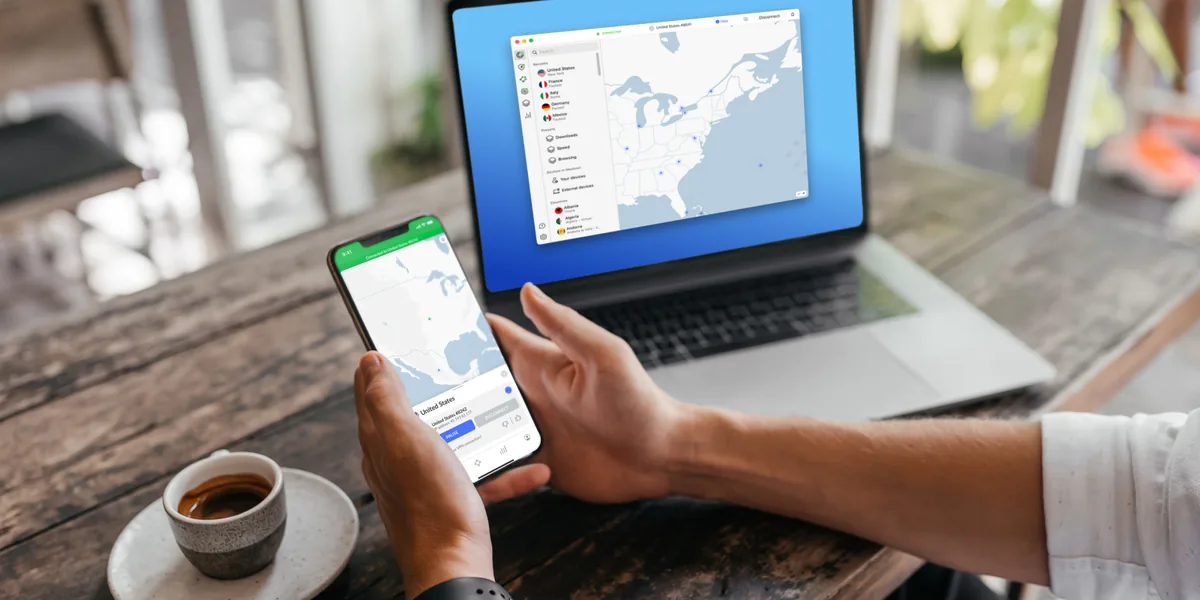
The NordVPN app connected on a phone and a laptop at the same time
Audited no-logs policy
10 devices at once
118+ countries
24/7 support
What You're Actually Exposed To

Three ordinary situations, none of which feel risky at the time.

Public Wi-Fi Is Wide Open

Hotel, airport and coffee-shop networks are usually unencrypted, and everyone on them shares the same connection. Your laptop cannot tell a hotel's real network from one named to look like it.

Your Provider Keeps a Log

In the US, internet providers may record which sites you connect to and build an advertising profile from it. You already pay them every month — the browsing data is the second thing they get.

The Web Changes By Location

Streaming catalogs, search results and some prices are decided by where your IP address says you are. Travel abroad and services you pay for at home can simply stop working.

What a VPN Actually Does

Think of a VPN as a private tunnel between your device and the internet. Everything you send goes into the tunnel scrambled, travels to a VPN server, and only steps back out into the open web from there.

The network you are sitting on — the coffee shop, the hotel, your own internet provider — can still see that you are sending data, but not what it is or which sites it is going to. All it sees is an unreadable stream heading to one address.

On the other end, websites see the VPN server's address instead of the one your provider assigned you. Your traffic still reaches exactly where it was going. The middle of the trip just stops being public.

Your device

Laptop, phone, tablet

Encrypted tunnel

Unreadable to anyone in between

VPN server

Your traffic leaves from here

The internet

Sees the server, not you

Without the tunnel, everything in the middle — the café router, the hotel network, your internet provider — sees a plain list of every site you open.

Why NordVPN Specifically

There are dozens of VPNs. These are the things that separate them, and where this one lands.

7,400+ servers in 118+ countries

A big network matters for two practical reasons: there is usually a server close enough that you don't feel the detour, and popular locations are less likely to be overloaded at peak hours.

An independently audited no-logs policy

Every VPN claims it keeps no logs; the question is whether anyone outside the company has checked. NordVPN's policy has been through independent audits, and the company is based in Panama, which has no mandatory data-retention law.

10 devices on one subscription

Enough to cover a household rather than one laptop — phones, tablets, a work machine and the TV, all connected at the same time on a single account.

Threat Protection

Blocks known malware downloads, malicious sites and web trackers at the connection level, so it works across every browser and app rather than only the one you installed an extension in.

Apps for everything you own

Windows, macOS, Linux, iOS, Android, Android TV and Apple TV, plus extensions for Chrome, Firefox and Edge. The TV apps matter — most VPNs make you configure a router for that.

24/7 support

Live chat around the clock. Worth more than it sounds the first time a streaming service or a work login refuses to cooperate with the VPN on.

What the app actually looks like

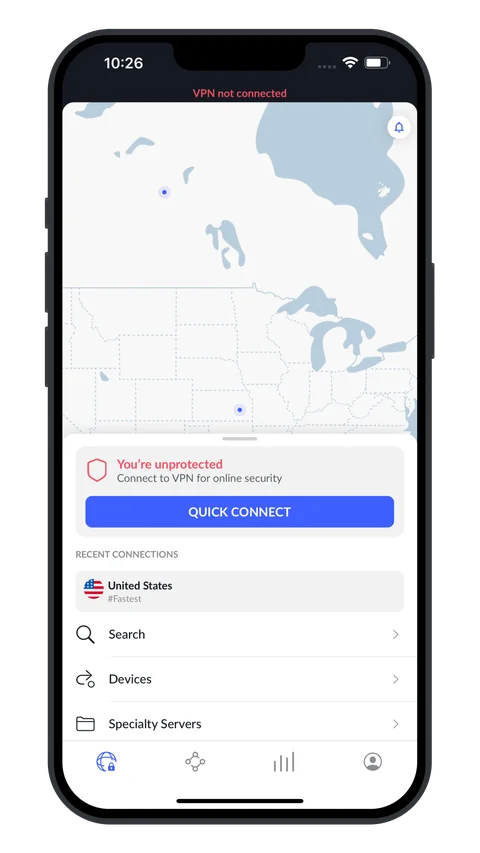
Official screenshots — one tap connects, and the app tells you plainly when you are not protected.

NordVPN iPhone app showing a You're unprotected warning and a Quick Connect button
It says so when you're not covered.
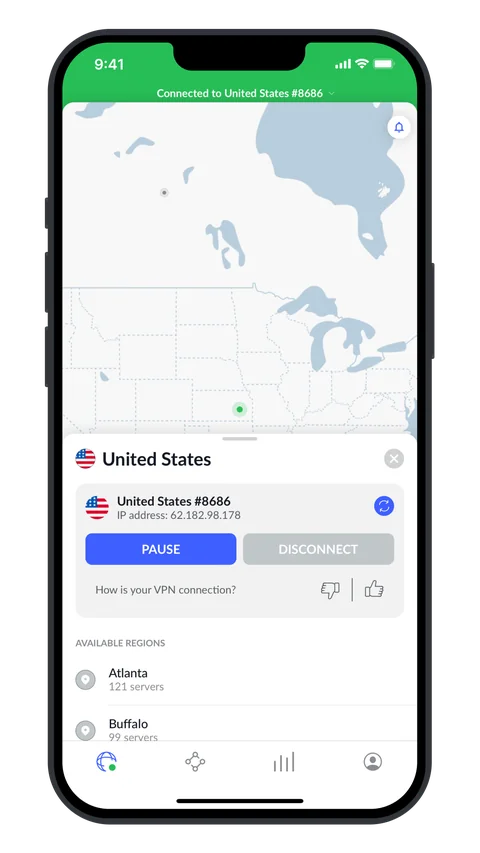
NordVPN iPhone app connected to a United States server with a green status bar
Connected — one tap later.
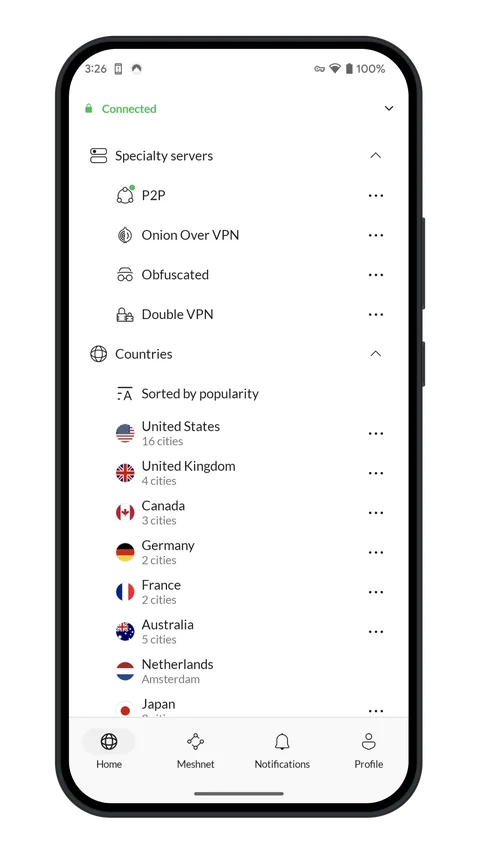
NordVPN Android app showing the specialty servers list including Double VPN and Onion Over VPN
Specialty servers, if you want them.
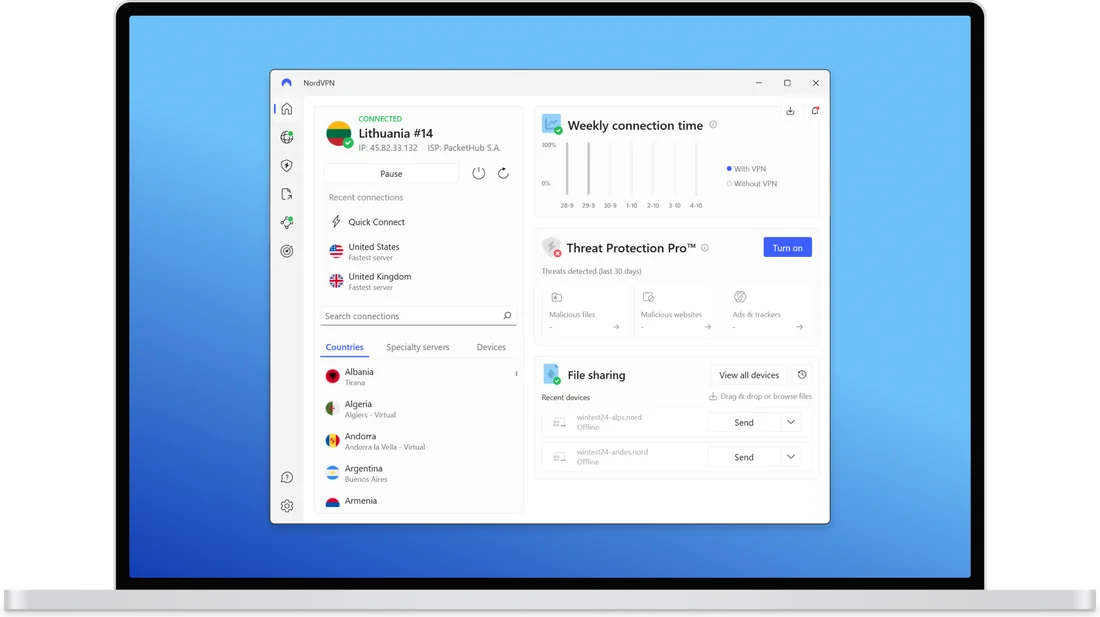
The NordVPN desktop app connected, showing the server map and the connection status
The desktop app: pick a country off the map, or let it choose the fastest nearby server.

How the Plans Work

Same service, three billing terms. The only thing that changes is how much you pay per month and how far ahead you commit.

We don't print prices here on purpose. VPN pricing moves constantly with promotions, and a number typed onto a page in one month is usually wrong by the next. The current rates are on NordVPN's own pricing page — that is the only figure worth trusting.

Monthly

Highest per month

No commitment past the next 30 days. The sensible pick if you want it for one trip, one project, or just to see whether you use it before committing.

1 year

Middle ground

A real drop in the monthly rate without signing up for two years of anything. Charged once, up front, for the year.

2 years

Lowest per month

The cheapest monthly rate and the largest single charge. Worth it only if you are fairly sure you'll still want a VPN in year two.

Alongside the term, NordVPN sells tiers — the base plan is the VPN itself, and the higher ones add extras like a password manager, data-breach monitoring and encrypted cloud storage. If you only came for the VPN, the base tier is all you need.

Every term carries the same 30-day money-back guarantee, which is what makes even the two-year plan less of a leap than it looks: you get a month of real use before the decision is final.

See Current NordVPN Pricing →

Opens NordVPN's site. We earn a commission if you purchase through our links, at no extra cost to you.

The Honest Trade-offs

Nothing here is a dealbreaker, but you should know all three before you pay.

What's good

  • 7,400+ servers across 118+ countries, so there's usually a fast one nearby.
  • No-logs policy verified by independent audit, under Panamanian jurisdiction with no mandatory data retention.
  • 10 devices at once — a household, not a laptop.
  • Threat Protection blocks malware and trackers across every app, not just a browser.
  • Native apps for Windows, macOS, Linux, iOS, Android, Android TV and Apple TV, plus browser extensions.
  • 24/7 live support and a 30-day money-back guarantee.

What's not

  • The monthly plan is the expensive one. Paying month to month costs substantially more per month than committing to a year or two — that gap is how the pricing is designed.
  • Some streaming services actively block VPNs. They detect and blacklist server addresses, so a location that worked last month can throw a proxy error this month. It is an ongoing back-and-forth, not a solved problem.
  • Distant servers cost you speed. Encryption plus a longer path means a connection to another continent will measurably lag a direct one. Nearby servers are usually fine; far ones are a compromise you can feel.

Questions People Actually Ask

Is a VPN legal?

Yes. VPNs are legal in the United States and most of the world, and businesses have relied on them for decades. A short list of countries restricts or bans them — China, Russia, Iran, Turkey and the UAE among them. Worth saying plainly: a VPN does not make an illegal activity legal. It changes who can see your traffic, nothing else.

Will it slow my internet down?

Somewhat. Encrypting your traffic and sending it through an extra server both cost a little. On a server in or near your own city, the difference is usually small enough that streaming and video calls feel unchanged. On a server on the other side of the world, it is obvious. If things feel sluggish, switching to a closer server fixes it most of the time.

Does it work on my phone and TV?

On phones and tablets, yes — native iOS and Android apps. For television there are Android TV and Apple TV apps, which is genuinely useful because most VPNs don't have them. Devices that can't run a VPN app at all — Roku, most game consoles, many smart TVs — need the VPN running on your router, which then covers everything on the network behind it.

What's the money-back guarantee?

30 days. If you decide it isn't for you, request a refund through support within 30 days of the charge. That's what makes even the two-year plan less binding than the term suggests — you get a full month of real use first.

Do I need one at home, or just on public Wi-Fi?

Public Wi-Fi is the clearest case — shared, often unencrypted networks where a VPN is obviously doing work. At home the risk is a different shape: not a stranger on the network, but your own provider logging where you go and monetising the profile. Whether that's worth paying to stop is a personal call, not a technical one.

NordVPN

So, Is It Worth It?

The caveats are the monthly plan's price and the running fight with streaming services. Everything else — the network, the audited no-logs policy, ten devices, apps on every screen you own — does what it says. And with 30 days to change your mind, trying it costs you a month, not a year.

Get NordVPN →

30-day money-back guarantee · Works on 10 devices

Get NordVPN →

30-day money-back guarantee · We earn a commission, at no cost to you.