📸 Our Unit, In Real Life
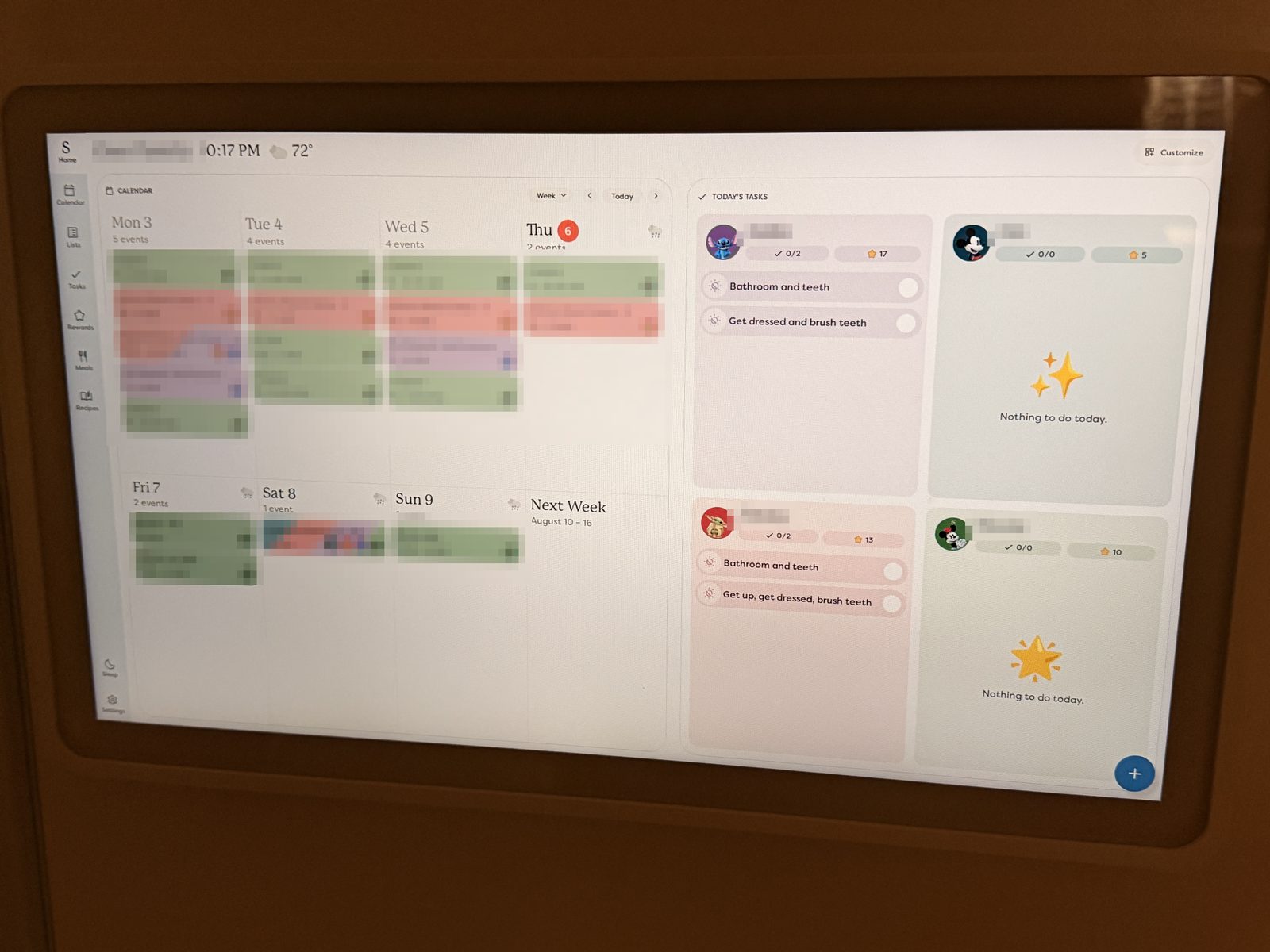
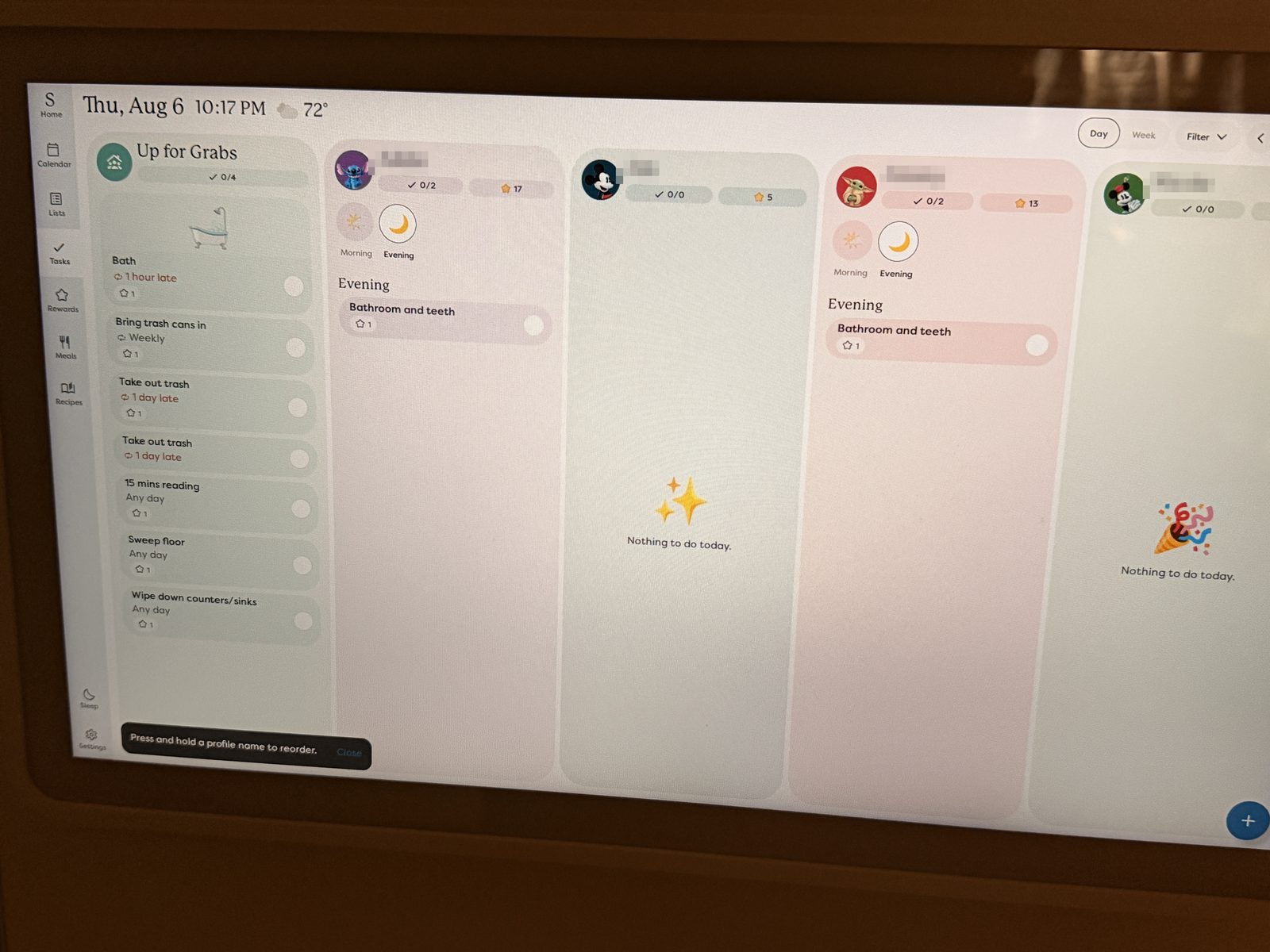
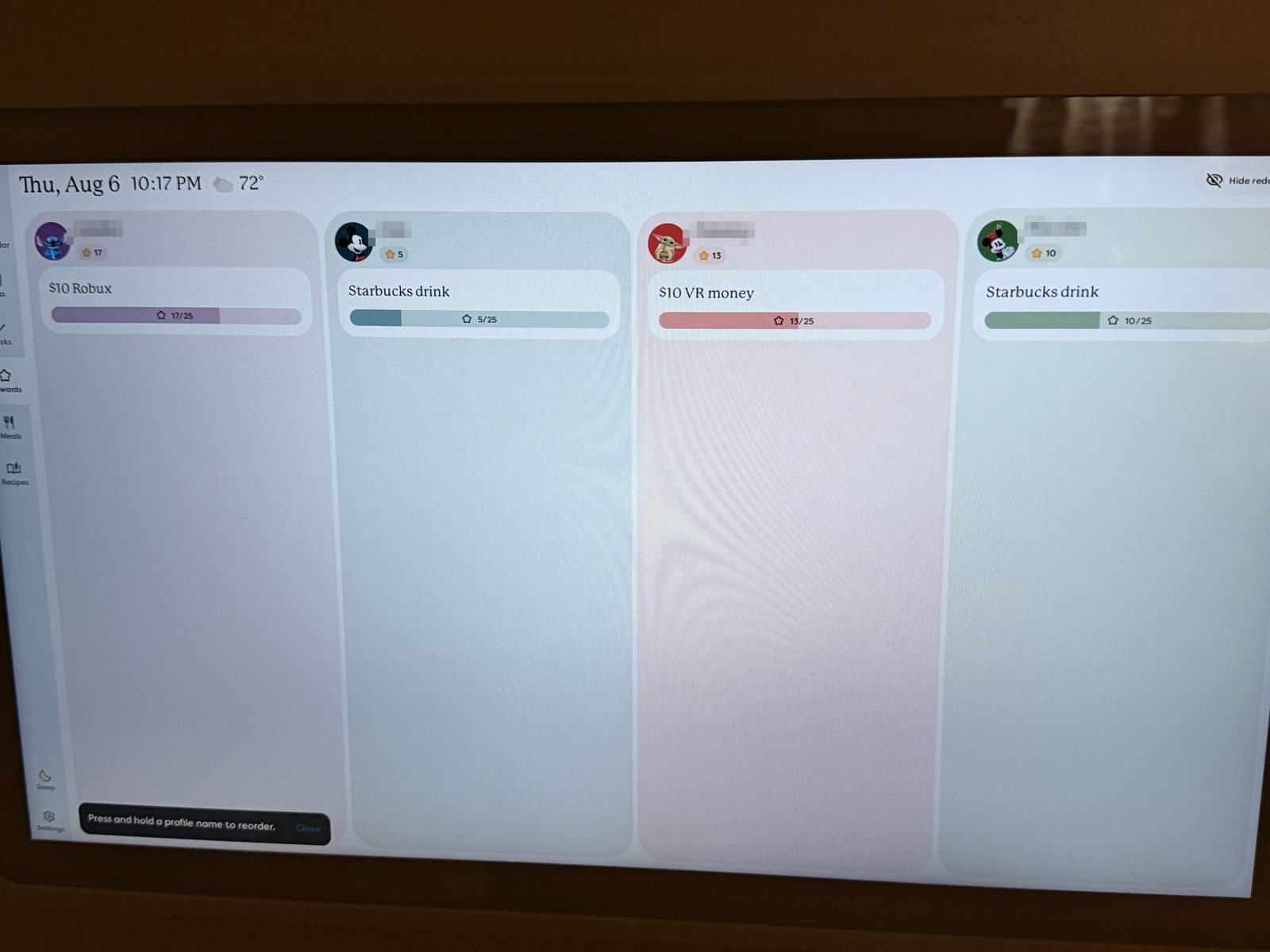
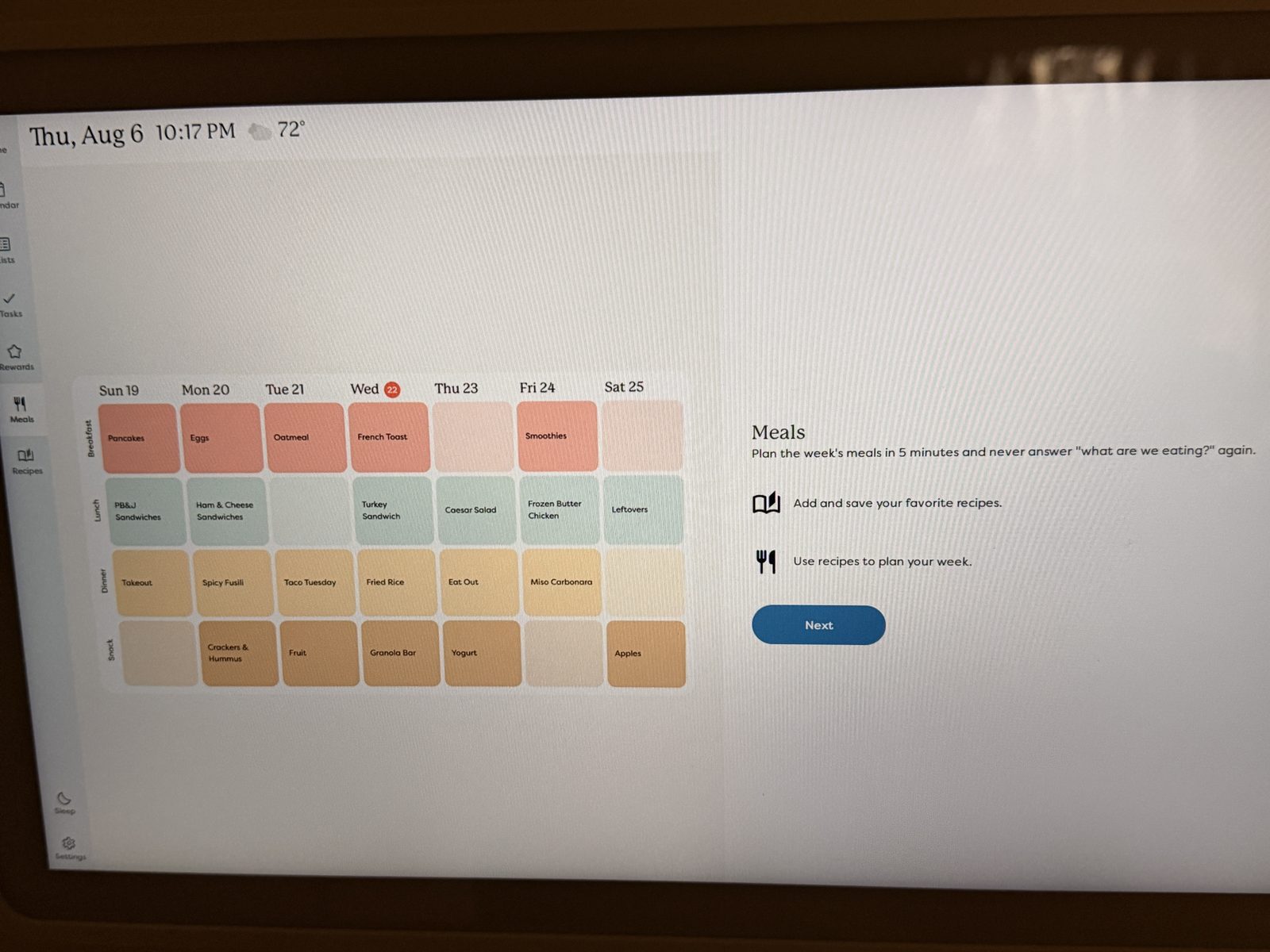
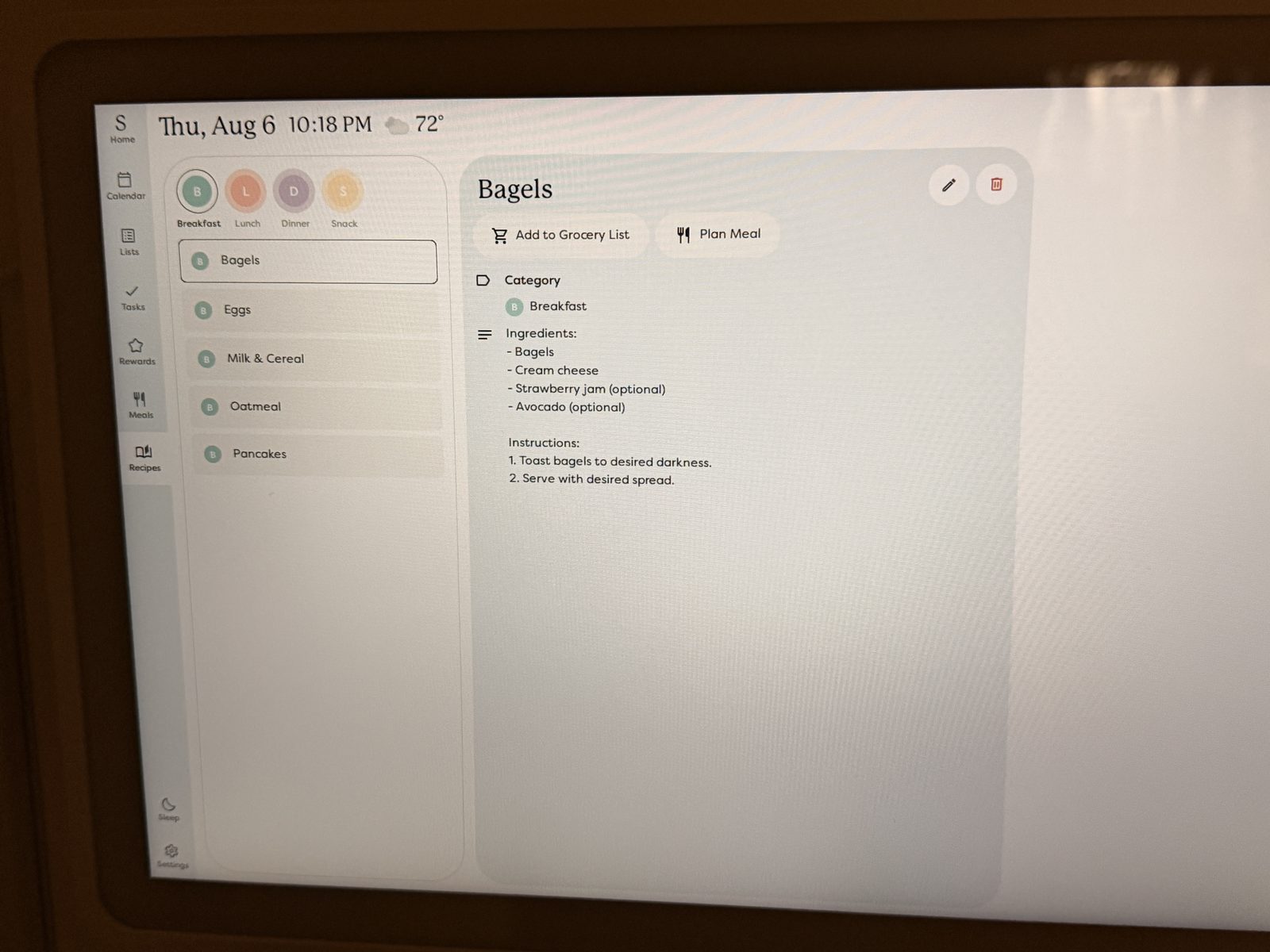
Straight off our kitchen wall — names and event titles blurred for privacy, nothing else staged.
Skylight Calendar Review
One touchscreen on the wall with everyone's schedules, chores, and meals. Syncs with Google, iCloud, and Outlook automatically.
Illustration of a typical day view — real photos of our unit below.
Check Price on Amazon →As an Amazon Associate I earn from qualifying purchases.
School events live in one app, the work calendar in another, and the practice schedule is a magnet on the fridge. Everyone holds a piece of the plan — nobody sees the whole picture. The Skylight Calendar puts the whole week on one screen in the busiest room of the house.
Set it up once — the family sees it every day.
Hang it on the wall like a picture frame or set it on the counter — it needs a power outlet and Wi-Fi, nothing else.
Link Google, iCloud, or Outlook once. Everyone's events flow in on their own — no retyping, no new habits to learn.
Today's schedule, chores, and the dinner plan sit at a glance on one screen the whole family walks past twenty times a day.
Straight off our kitchen wall — names and event titles blurred for privacy, nothing else staged.
The features a family actually uses day to day.
One glance tells you who has practice and who has the dentist — kids spot their own color from across the room.
Chores show up on the big screen with tap-to-complete checkmarks. The screen does the reminding, so you don't have to.
Add milk from the kitchen screen or your phone — the list is with you at the store either way.
Big enough to read across the kitchen, slim enough to hang like a frame. A counter stand is in the box too.
No — the core features don't need one. Calendar sync, chore charts, and shared lists all work on the free tier. Skylight Plus ($79/yr) adds meal planning, chore rewards, a photo screensaver, and Magic Import — nice to have, not required.
The 15-inch reviewed here is the sweet spot for kitchens — readable from across the room without taking over the wall.
If you use Google Calendar, iCloud/Apple Calendar, Outlook, Yahoo, or Cozi — yes. Connect once and events stay in sync.
Not ready for the Calendar?
We actually own the Skylight Frame, and it's what sold us on the brand. It's a Wi-Fi photo frame — anyone in the family emails a photo and it appears on the frame in seconds. No apps for grandparents to learn, no subscription needed for the basics. If a $300 calendar is more than you need, this is the gift that gets the same "how does it do that?" reaction — at around $169.
As an Amazon Associate I earn from qualifying purchases. Prices change — check Amazon for the current price.
It's become a go-to gift for busy parents and grandparents — a screen on the wall beats another app they'd have to remember to open, and once it's set up there are no tech skills required to use it.
Our take: 4.5 / 5. The caveats are the outlet it needs behind it and the Plus subscription if you want meal planning — everything else just works.
Check Price on Amazon →As an Amazon Associate I earn from qualifying purchases.