OverUnder app icon

OverUnder

iPhone app · $2.99 one-time

Know if your lease is over or under pace

Type in the odometer whenever you think of it. OverUnder shows miles over or under pace, the projected total at lease end, and what the overage would cost at your contract's per-mile rate. No GPS, no account, no tracking.

Download on theApp Store

Made by TechSource Plus. One purchase, no subscription, no ads.

One question, answered every time you look

A lease gives you a mileage allowance and a per-mile charge for going over. Whether you are on track is simple math, but it is the kind you never do until it is too late. OverUnder does it on every reading.

📏

Miles over or under pace

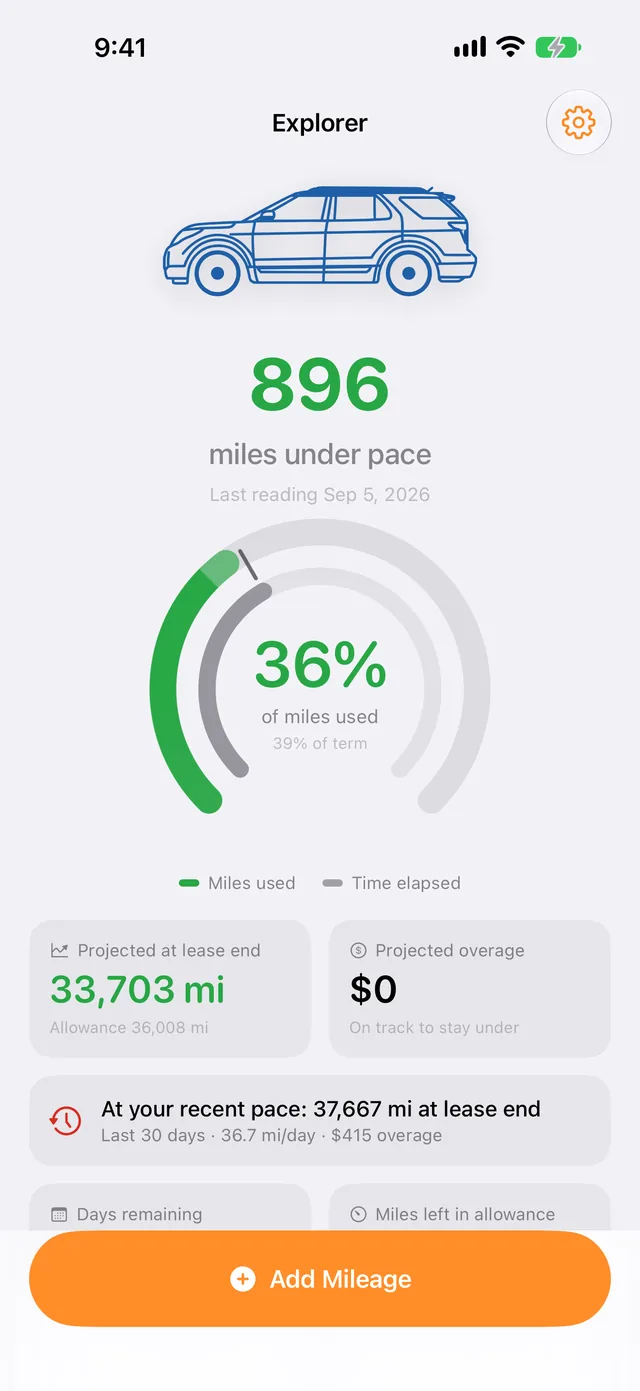
Compares the miles you have driven against the allowance you have used up in time, so a big green or red number tells you where you stand today.

📈

Projection at lease end

Extends your pace to the last day of the contract and shows the projected total, plus a second projection based on just your recent driving.

💲

Overage in dollars

Enter your contract's per-mile rate once. The projected overage shows up as a dollar figure, not a mileage you still have to convert in your head.

🧮

What-If for the road trip

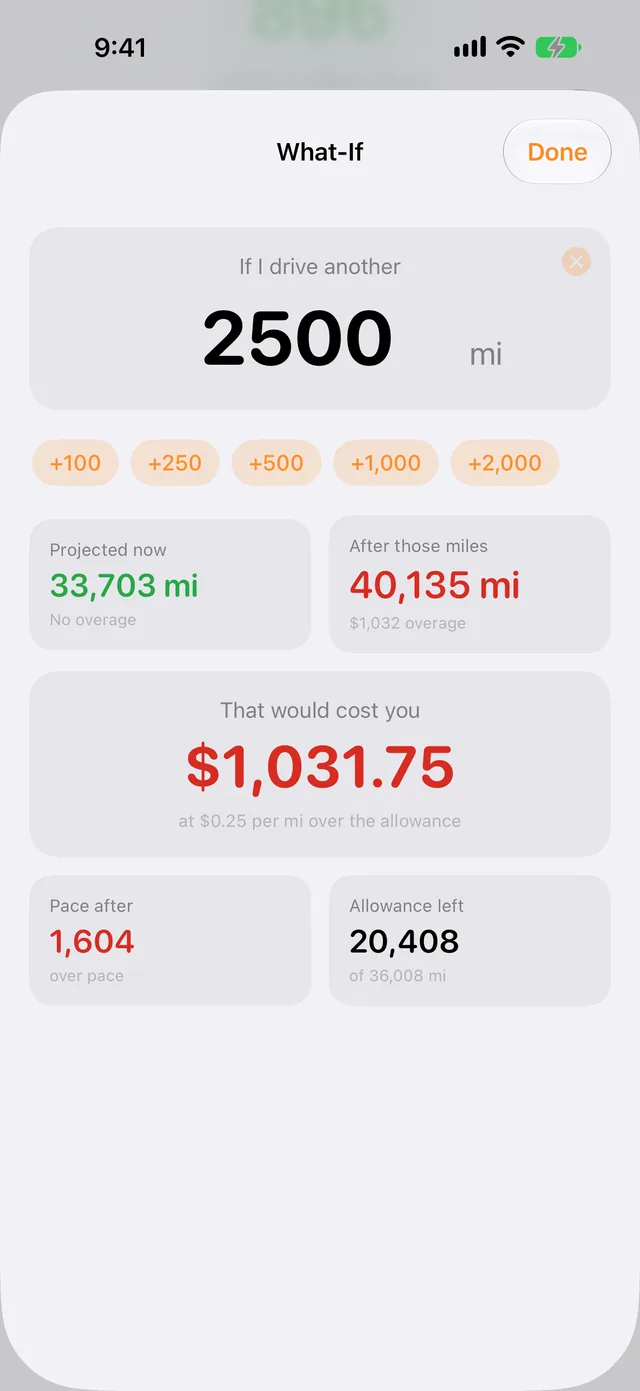
"If I drive another 2,500 miles, what does that cost me?" Tap a number and see the new projection, the new pace, and the price before you commit.

Home-screen widget

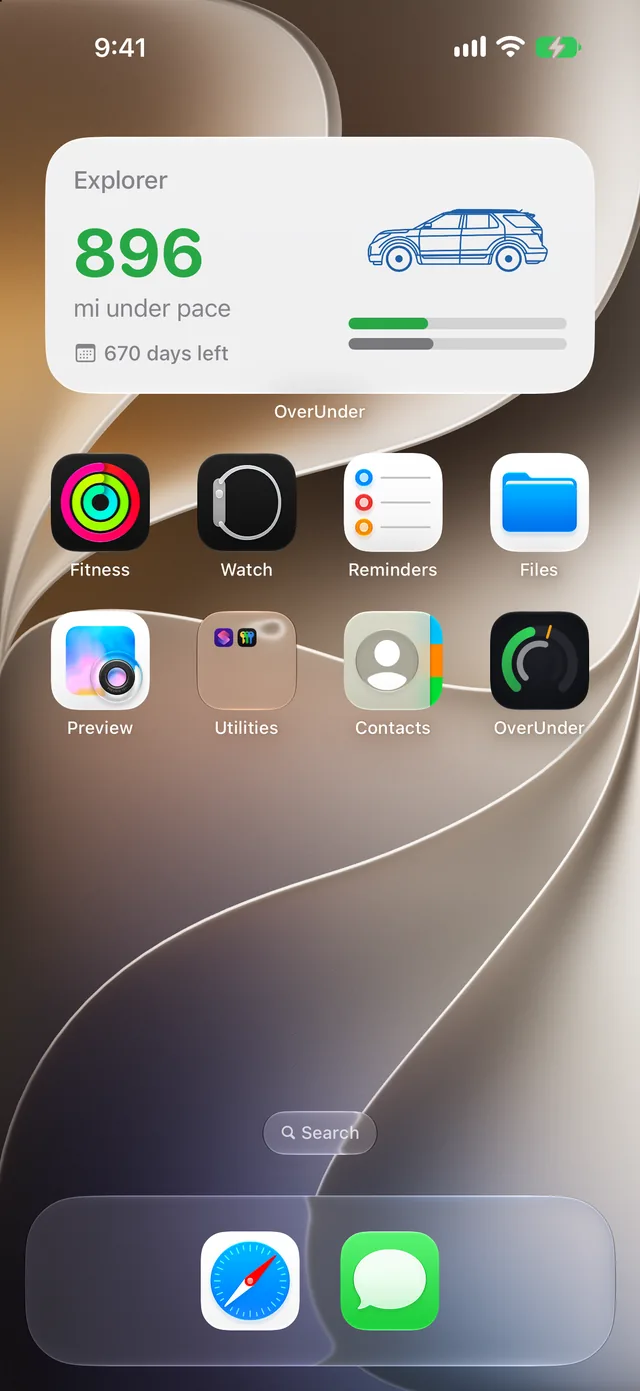
Your pace at a glance without opening the app.

Works mid-lease

Enter the signing odometer and today's reading. It computes the rest.

Nothing runs in the background

No GPS, no location permission. You type the reading.
Screenshots

Swipe on a phone. Every screen has a full dark mode.

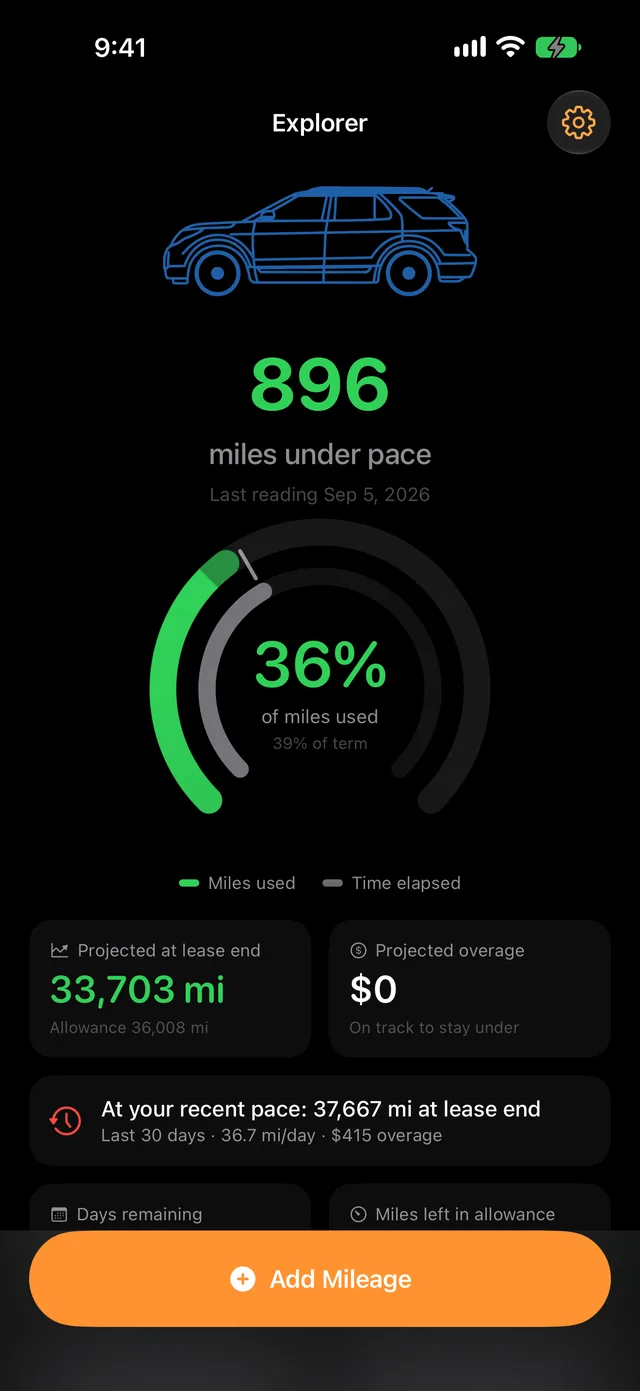
Home screen: 896 miles under pace, a pace gauge, projected 33,703 miles at lease end, and a $0 projected overage
Know if you're over or under.Live pace vs. your allowance, in miles and dollars.
iPhone home screen with the OverUnder widget showing 896 miles under pace and 670 days left
Glance from your home screen.Small and medium widgets. No need to open the app.
What-If screen: driving another 2,500 miles would cost $1,031.75 at $0.25 per mile over the allowance
Price that road trip first.See what extra miles cost before you drive them.
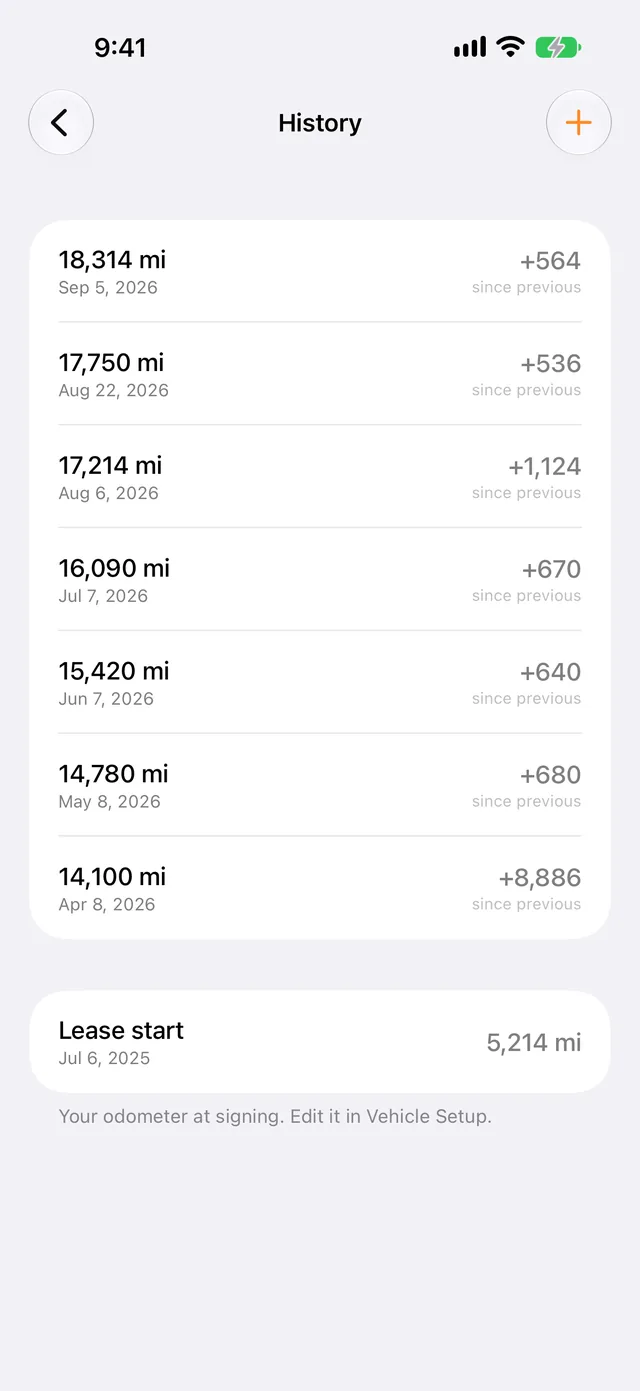
History screen listing each odometer reading with the miles since the previous one, back to the lease start
Every reading, one list.Miles since previous, back to the day you signed.
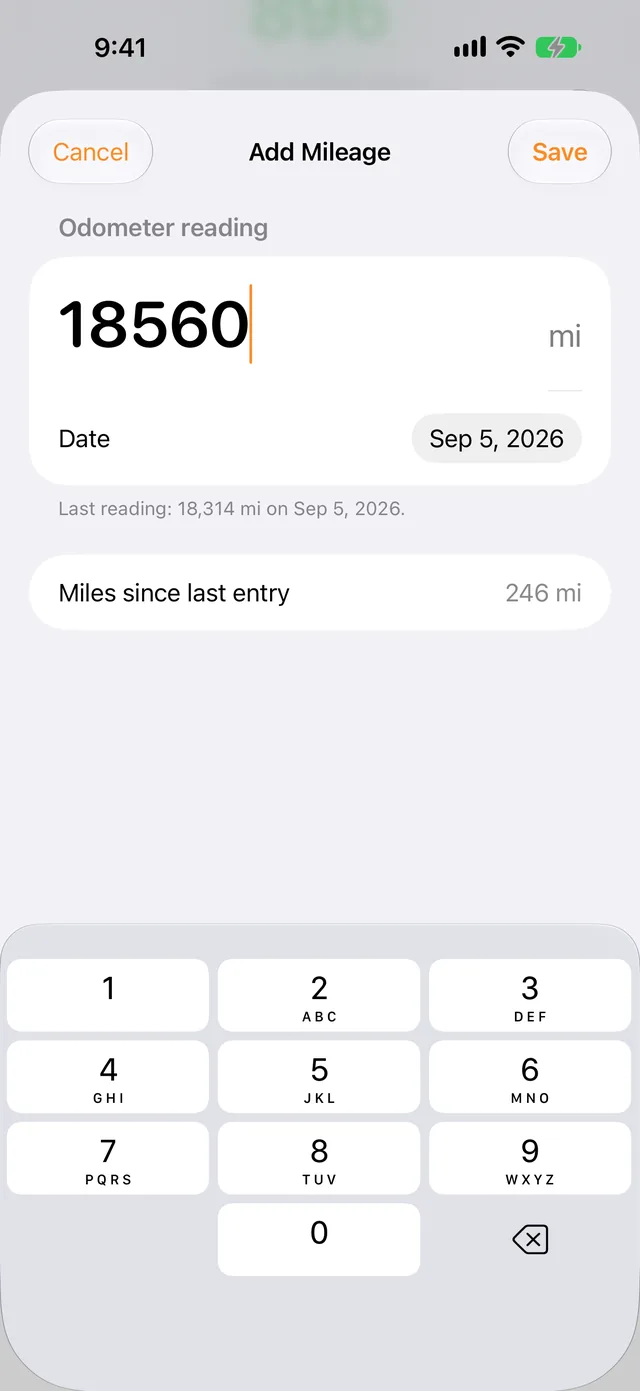
Add Mileage screen with a large odometer field, the reading date, and miles since the last entry
Logging takes five seconds.Type the odometer. Everything else computes.
Home screen in dark mode
Looks right in the dark.Full light and dark mode. Your data stays on your iPhone.

Why I built it

Fourteen months into a 48-month, 10,500-miles-a-year lease, I still had no clean answer to "how am I doing?" Every glance at the odometer turned into dividing miles by days elapsed in my head, and the answer was gone by the next fill-up.

So I built a small app that does exactly one thing well. You type in a reading whenever you think of it, and it keeps the math current: over or under, the projection, and the dollar figure. The What-If screen exists because the real question was never "am I over?" but "can I afford the trip to the lake this summer?"

It is a solo project and my first App Store release. If something is missing or wrong, tell me and I will fix it.

Your data stays on your phone

  • No data collection. Nothing you enter is sent to us or to anyone else.
  • No analytics, no ads, no tracking. The app contains no third-party code of any kind.
  • No accounts. Nothing to sign up for and no password to remember.
  • Yours to keep. Readings live on your iPhone and, if you use iCloud, in your own private iCloud storage. Export everything as CSV or JSON any time.

The full privacy policy is one page and says the same thing in more words.

Questions

Can I start partway through my lease?

Yes. Enter the odometer reading from the day you signed, your lease dates and allowance, and today's reading. Everything is computed from those, so the app is as accurate on month 14 as on day one.

Does it use GPS or run in the background?

No. There is no location permission and nothing running while the app is closed. You type in the odometer reading; the widget reads the same stored data to show your pace on the home screen.

What does it cost?

$2.99 once on the App Store. There is no subscription, no in-app purchase, and no ads. The price is set in the App Store and may vary by country.

How often should I log a reading?

Whenever you think of it. A reading every few weeks is plenty for the projection; the "recent pace" line on the home screen uses your last 30 days, so it sharpens as you log more.

Get OverUnder for iPhone

$2.99 one-time. No ads, no subscription, no account.

Download on theApp Store

Support, feature requests, and bug reports: jimoser.us@gmail.com